
Site search optimization is the practice of tuning your store’s internal search engine to return accurate, relevant results that convert browsers into buyers. Search-driven visitors convert at rates 3 to 6 times higher than non-search visitors, and search-driven revenue can account for nearly 50% of total store income. Yet over 60% of ecommerce sites perform below acceptable search standards. That gap is where your revenue is hiding. Tools like Klevu, Searchspring, and Algolia exist precisely to close it, but technology alone is not the answer. The strategies below show you exactly where to start and what to fix first.
How do you optimize ecommerce site search effectively?
Effective site search optimization, also called on-site search tuning, combines three disciplines: interface design, product data quality, and analytics-driven iteration. Most store owners focus only on the first. The other two drive the majority of real-world results.
The payoff is concrete. When your search function works well, customers find products faster, abandon less often, and spend more per session. When it fails, they leave without a word. You never see the lost sale, which is what makes poor search so dangerous.

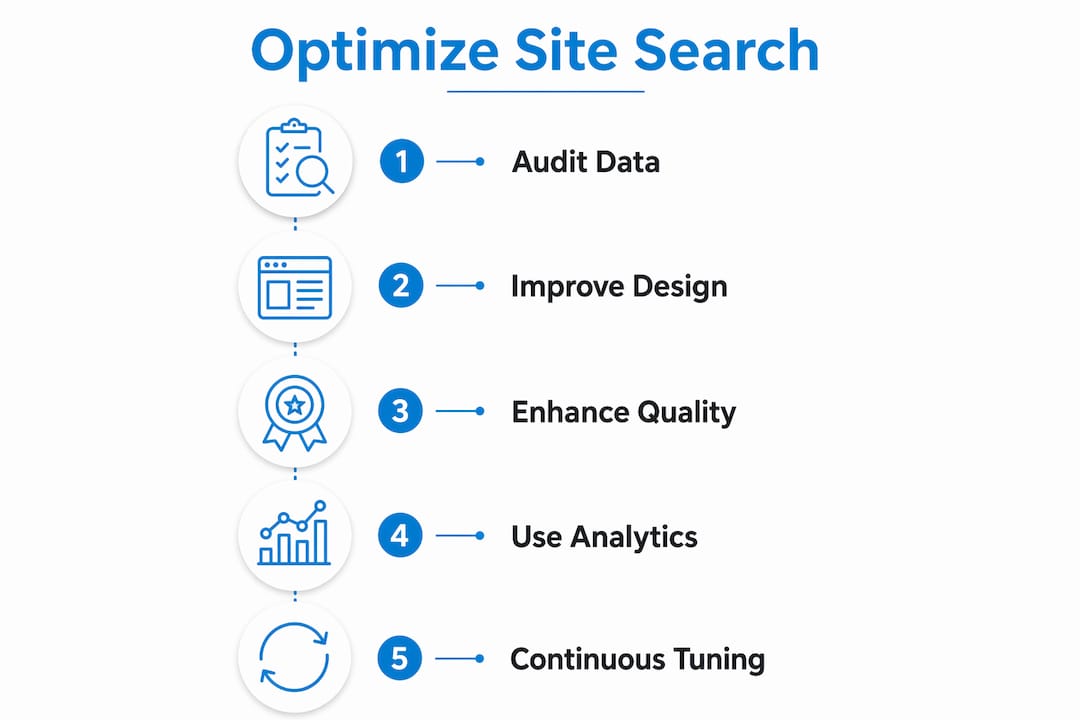
Start by auditing your current search performance before touching any settings. Pull your top 50 queries, your zero-results rate, and your search-to-purchase conversion rate. Those three numbers tell you more about your search health than any vendor demo ever will.
What features and design elements make site search effective?
The search bar is the front door to your catalog. Its design directly controls whether customers use it or ignore it.
A wide, visible search bar with clear placeholder text like “Search by product, brand, or SKU” outperforms a minimalist icon every time. Hiding search behind a magnifying glass icon adds extra clicks and increases bounce risk when results are slow or irrelevant. Placement matters too. Center the bar in the header on desktop and pin it to the top of the screen on mobile.
Autocomplete is the single highest-leverage design feature you can implement. A well-tuned autocomplete can reduce user friction by 30% to 50%. That means fewer dead ends and more product pages reached. Suggestions should appear within 150 milliseconds and show 6–8 results that mix products, categories, and popular queries.
Key design features that drive measurable improvement:
- Autocomplete dropdowns with product images and prices. Showing visual product info inside the dropdown speeds decision-making before the customer even hits enter.
- Category and brand suggestions alongside product results. This helps customers who are browsing broadly rather than searching for a specific item.
- Spelling correction and synonym matching. A customer searching for “sneeks” should find sneakers, not a blank page.
- Mobile-optimized filter panels. Filters that work on desktop often break on mobile. Test every filter interaction on a real phone, not just a browser emulator.
Pro Tip: Mobile-first testing of your search bar is non-negotiable since mobile drives the majority of ecommerce traffic. Check dropdown sizing, keyboard behavior, and filter usability on at least three different screen sizes before any launch.
Shopify Plus stores using Klevu or Searchspring consistently report that autocomplete sessions convert at significantly higher rates than standard keyword searches. The reason is simple: autocomplete guides the customer toward a result rather than leaving them to guess the right query.
How does product data quality affect search results?
Poor product data is the root cause of most search failures. 90% of ecommerce search failures result from bad product information, not broken algorithms. Fixing your data delivers better results faster than upgrading your search engine.
The problem shows up in predictable ways. A customer searches “waterproof jacket” and gets zero results because your product is tagged as “rain coat” with no synonym mapping. Another customer searches “XL” and gets results from three different size systems because your attribute data is inconsistent. These are data problems, not technology problems.
Run a structured data audit before you touch your search platform settings:
- Review category tags. Products miscategorized in your product information management (PIM) system will surface in wrong results or not at all.
- Standardize attribute names. Color, size, material, and brand fields must use consistent values across your entire catalog.
- Fix product titles. Titles should include the primary keyword customers use, not internal SKU codes or manufacturer jargon.
- Check for duplicate listings. Duplicate products split search relevance signals and confuse ranking algorithms.
No-results pages are one of the most underused data sources in ecommerce. Analyzing zero-result queries weekly lets you build a synonym dictionary that maps customer language to your catalog language. The catch is that automated synonym tools can poison results by linking unrelated terms. A tool that auto-maps “boots” to “booties” might connect children’s shoes to work boots, sending customers to completely wrong products. Manual review of every synonym addition is not optional.
Pro Tip: Clean your product data before upgrading your search engine. A better algorithm running on dirty data still returns bad results. Data hygiene is the foundation, not an afterthought.
What role do analytics and continuous optimization play?
Search without analytics is a black box. You cannot improve what you cannot measure, and tracking top queries, zero results, and conversion paths is the minimum baseline for any serious optimization program.
Here is a practical monthly sprint model that keeps search performance from decaying:
- Week 1: Pull and review search data. Export your top 100 queries, zero-results list, and search exit rate. Flag anything with high volume and low conversion.
- Week 2: Fix data and synonym issues. Address the top 10 zero-result queries by adding synonyms, fixing product tags, or creating new catalog entries.
- Week 3: Run A/B tests on ranking rules. Test whether boosting in-stock items or best-sellers improves conversion on your top 20 queries.
- Week 4: Review results and document changes. Record what worked, what did not, and carry findings into the next sprint.
“Search optimization is ongoing. Weekly or monthly tuning sprints prevent decay caused by new products, seasonality, and changing query patterns.” — Ecommerce Search Best Practices
Modern search platforms are moving beyond static ranking rules. Learning-to-rank models personalize results based on user behavior data, predicting purchase likelihood rather than relying on fixed boosts. This dynamic approach outperforms rule-based systems for conversion. Platforms like Klevu and Searchspring already offer this capability. The prerequisite is clean behavioral data, which circles back to analytics setup.
You can also use search analytics to drive promotional decisions. If a query like “gift under $50” spikes every november, you can pre-build a curated results page and merchandise it ahead of the season rather than reacting after traffic peaks.
How do you implement faceted navigation without hurting SEO?
Faceted navigation, the filter system that lets customers narrow results by size, color, price, or brand, is one of the most powerful tools for improving product discovery. It is also one of the most common sources of SEO damage in ecommerce.
The core problem is crawl traps from infinite URLs. Every filter combination generates a new URL. A catalog with 10 colors, 8 sizes, and 5 price ranges can produce thousands of unique URLs, most of which carry no search value. Google wastes crawl budget on these pages instead of indexing your actual product pages.
| Approach | SEO Impact | User Experience |
|---|---|---|
| Index all filter URLs | Crawl budget wasted, duplicate content risk | Full filter access |
| Block all filters via robots.txt | Crawl budget protected | Filters work but not indexed |
| Canonical tags on filter pages | Consolidates signals to main page | Filters work, SEO preserved |
| Meta noindex on low-demand filters | Selective indexing, minimal crawl waste | Full filter access |
| Index high-demand filter combos only | Targeted SEO value, efficient crawl | High-value pages indexed |
The right approach is selective indexing. Use canonical tags to point filter URLs back to the main category page. Apply meta noindex to filter combinations that have no proven search demand. Reserve full indexing for filter combinations that customers actually search for, such as “red running shoes size 10,” where a dedicated indexed page can rank and convert.
Pro Tip: Use Google Search Console’s URL Inspection tool to check which filter pages Google has indexed. If you find thousands of filter URLs in your index with zero impressions, add meta noindex to those pages immediately and submit a recrawl request.
For a broader view of how ecommerce SEO practices interact with site search, faceted navigation is just one piece. Internal linking from category pages to high-demand filter combinations also passes authority and helps those pages rank.
Key takeaways
Ecommerce site search optimization requires clean product data, smart interface design, and consistent analytics review to convert search sessions into revenue.
| Point | Details |
|---|---|
| Data quality drives results | Fix product attributes and category tags before upgrading your search platform. |
| Autocomplete is high-leverage | Suggestions within 150ms showing products and categories reduce friction by up to 50%. |
| Analytics must be weekly | Review zero-result queries and conversion paths on a regular cycle to prevent search decay. |
| Faceted navigation needs SEO controls | Use canonical tags and meta noindex to prevent crawl traps from filter URL combinations. |
| Learning-to-rank beats static rules | Behavior-based ranking models outperform fixed boost rules for conversion on modern platforms. |
Why search is the highest-roi fix most stores ignore
I have reviewed search performance across dozens of ecommerce accounts over the years, and the pattern is almost always the same. The store invested in a new theme, a new ad campaign, or a new email platform, but the search bar still returns results from 2019 with no synonym mapping and a zero-results rate above 20%.
The uncomfortable truth is that most ecommerce teams treat search as infrastructure, something you set up once and forget. That mindset costs real money. When search-driven revenue can represent nearly half of total store income, a poorly tuned search function is not a minor UX issue. It is a revenue leak.
My strongest advice: do not buy a new search platform until you have cleaned your data. I have seen stores spend thousands on Klevu or Searchspring and still get bad results because the underlying product catalog was a mess. The algorithm cannot fix what the data does not contain.
The second thing I would push back on is the idea that AI-powered search is a set-it-and-forget-it solution. Learning-to-rank models are powerful, but they learn from your behavioral data. If your analytics setup is broken or your catalog is thin, the model learns the wrong patterns. Garbage in, garbage out applies here as much as anywhere in digital marketing.
Build search tuning into your monthly operations. Assign it to someone. Review the data. Make small changes and measure them. That discipline, more than any tool or platform, is what separates stores with great search from stores that wonder why customers keep leaving.
— Anil
Ready to fix your store’s search performance?
If your site search is losing you customers, Seotonic can help you turn it into a revenue driver. With over 20 years of experience and more than 3,000 successful global campaigns, Seotonic’s team knows how to audit, fix, and scale ecommerce search performance across platforms including Shopify, Magento, and WooCommerce.

Start with Seotonic’s site search optimization guide to understand exactly where your search is losing conversions and what a structured fix looks like. Whether you need a full technical audit, product data cleanup, or ongoing monthly optimization support, Seotonic delivers results grounded in data, not guesswork. Reach out today to get a clear picture of what your search function is costing you.
FAQ
What is ecommerce site search optimization?
Ecommerce site search optimization is the process of tuning your store’s internal search engine to return accurate, relevant results that help customers find products and complete purchases. It covers interface design, product data quality, and analytics-driven ranking improvements.
How much does site search affect conversion rates?
Search-driven visitors convert at 3 to 6 times the rate of non-search visitors. Search-driven revenue can account for nearly 50% of total ecommerce store income, making search one of the highest-return areas to invest in.
What causes zero-results pages in ecommerce search?
Zero-results pages are most often caused by poor product data quality, including missing synonyms, inconsistent attribute tags, and product titles that do not match customer language. Auditing and fixing catalog data resolves the majority of zero-result queries.
How do i prevent faceted navigation from hurting my SEO?
Apply canonical tags to filter URL variations and use meta noindex on low-demand filter combinations. Index only filter pages that have proven search demand, and monitor Google Search Console regularly to catch new crawl traps before they waste your crawl budget.
How often should i review my site search analytics?
Weekly review of zero-result queries and monthly A/B testing of ranking rules is the minimum for maintaining search quality. Search quality decays as new products are added and query patterns shift with seasons, so regular tuning sprints are required to keep results relevant.